
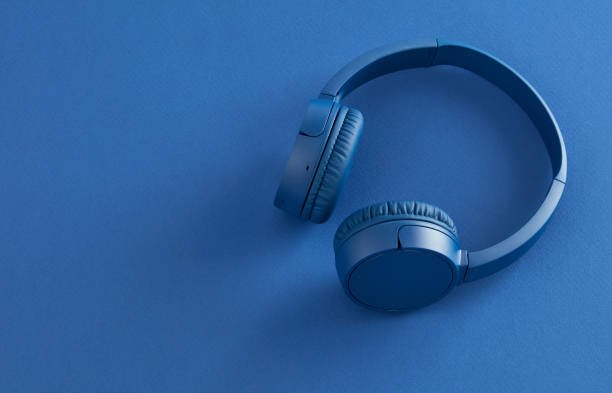
You can drastically transform the audio performance of your Bluetooth headphones by optimizing digital audio settings, selecting high-bitrate streaming formats, and establishing a complete acoustic seal. Most wireless headphones ship with default configurations designed for battery saving rather than sonic fidelity. Unlocking crisp highs, deep punchy bass, and wide instrument separation requires targeted adjustments on both your source device and your headphones.
Upgrade Your Bluetooth Audio Codec Settings
The Bluetooth audio codec determines how sound data is compressed and transmitted from your smartphone or computer to your headphones. Standard configurations default to SBC, a baseline codec that heavily compresses audio data and strips away delicate musical detail. Switching to advanced codecs preserves higher bandwidth and dynamic range.
Android users can open developer options to manually select high-resolution codecs like LDAC or aptX HD, which stream at data rates up to three times higher than standard Bluetooth connections. Apple iOS devices automatically utilize AAC, which delivers excellent efficiency and clarity when paired with compatible headphones. Checking device compatibility ensures your hardware streams at maximum available resolution.
Fine-Tune Sound Profiles with Custom Equalizers
Every pair of headphones features a unique sound signature out of the box, but equalizers allow you to shape frequencies to match your personal preference. Most companion apps from major headphone manufacturers include parametric or multi-band graphic equalizers that adjust bass, midrange, and treble levels directly on the internal digital signal processor.
Tuning down bloated mid-bass frequencies around 250 Hertz prevents muddy audio playback while boosting subtle high frequencies between 4 Kilohertz and 8 Kilohertz restores vocal presence and cymbal shimmer. If your companion app lacks granular control, system-wide third-party equalizer apps provide precise frequency sliders to correct harsh resonances and balance overall tonal output.
Optimize Streaming Source Quality and Bitrates
Your headphones can only sound as good as the audio signal they receive from your playback app. Popular streaming services default to medium or low audio quality over cellular networks to conserve mobile data, compressing files down to low bitrates that sound flat and thin.
Head into your streaming app settings and permanently force audio quality to lossless or maximum resolution. Switching from compressed formats to uncompressed or lossless audio streams provides higher sampling rates, richer dynamic depth, and significantly cleaner instrument separation across complex musical arrangements.
Perfect Your Physical Ear Seal and Fit
Physical fit dictates low-frequency resonance and acoustic isolation far more than internal digital processing can. In-ear true wireless earbuds rely entirely on an airtight seal within your ear canal to produce accurate bass response. A loose fit allows low frequencies to escape, leaving music sounding hollow and tinny.
Experiment with silicone or memory foam ear tips in various sizes to discover the exact match for your ear anatomy. Over-ear headphones require proper headband adjustment so the ear cups sit flat against your head without gaps caused by thick glasses frames or long hair, maintaining optimal driver distance and bass impact.
Enable Active Noise Cancellation and Maintain Hardware
Environmental noise forces you to turn up playback volume, which introduces driver distortion and listener fatigue. Engaging active noise cancellation neutralizes background ambient hums, allowing subtle audio details to shine through at lower, safer volume levels.
Regular maintenance also plays a direct role in preserving clear sound output. Earwax accumulation, dust, and moisture on driver grilles attenuate high frequencies and reduce overall output volume. Cleaning acoustic mesh screens regularly with a dry soft brush ensures unobstructed sound waves and consistent driver performance over time.
Conclusion
Maximizing wireless audio fidelity is a straightforward process when you align software settings with proper physical fit. Selecting advanced Bluetooth codecs, enabling high-resolution music streaming, and dialing in tailored equalizer profiles unlock hidden potential in your hardware. Combined with a secure acoustic seal and clean driver grilles, these adjustments ensure your Kove Audio bluetooth headphones deliver rich, detailed, and immersive sound on every track.
About the Author


